So yeah. I wanted to expose some dumb web service running on my LAN, but of course I didn’t wanna open ports on my router, 'cause I’m not insane. Then I remembered cloudflared. Boom. Magic tunnel. Zero ports. Cloudflare handles the rest.
Here’s the full chaos: what it is, how it works, how to set it up.
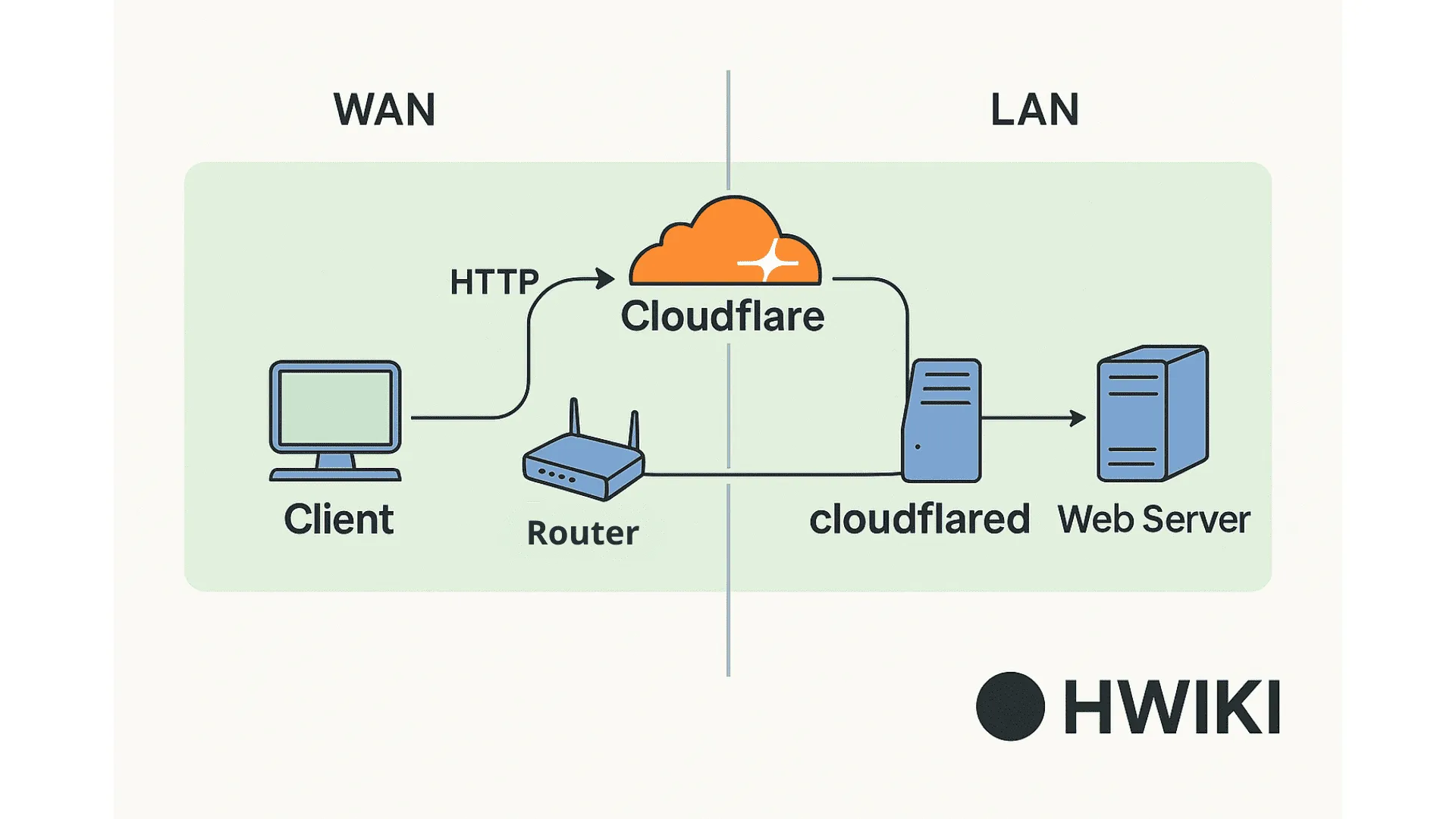
How does it work ?
Setting up your first tunnel
Alright, here’s the real setup part. No magic, just clicks and a bit of terminal.
- Head to https://one.dash.cloudflare.com
- Log in. Yeah, I know, another password.
- Go to Networks → Tunnels
- Hit Create a tunnel
- Give it a name. Anything. "my-shitty-tunnel", "home", whatever.
- Then Cloudflare gives you a bunch of commands to run on your machine depending on your distro. Just copy-paste like a true sysadmin.
That installs cloudflared and sets up a config and credentials file. Basically, it registers your local box with Cloudflare’s infrastructure so they know where to forward traffic.
Once the tunnel is created, you still gotta tell it what to expose.
So:
- Click on your tunnel in the dashboard
- Go to Public Hostnames
- Click Add a public hostname
Here you enter:
- The subdomain you want (like
home.yourdomain.com) - The service type (HTTP, SSH, whatever)
- And the internal address (like
http://localhost:8080orhttp://192.168.1.42:32400)
That’s it. From now on, when you hit home.yourdomain.com, it goes through Cloudflare, bounces back to your LAN, and cloudflared forwards that traffic to your local server. No port forwarding, no UPnP nonsense, no firewall rules. Just vibes.
But wait — domain stuff
If you wanna use your own domain, there’s a catch.
Your domain must be managed by Cloudflare. Not optional.
Either:
- You buy your domain directly through Cloudflare,
- Or you change the nameservers of your existing domain to point to Cloudflare.
Once that’s done, Cloudflare can handle your DNS, your TLS certs, and the tunnel hostname magic.
Made by h0ag.