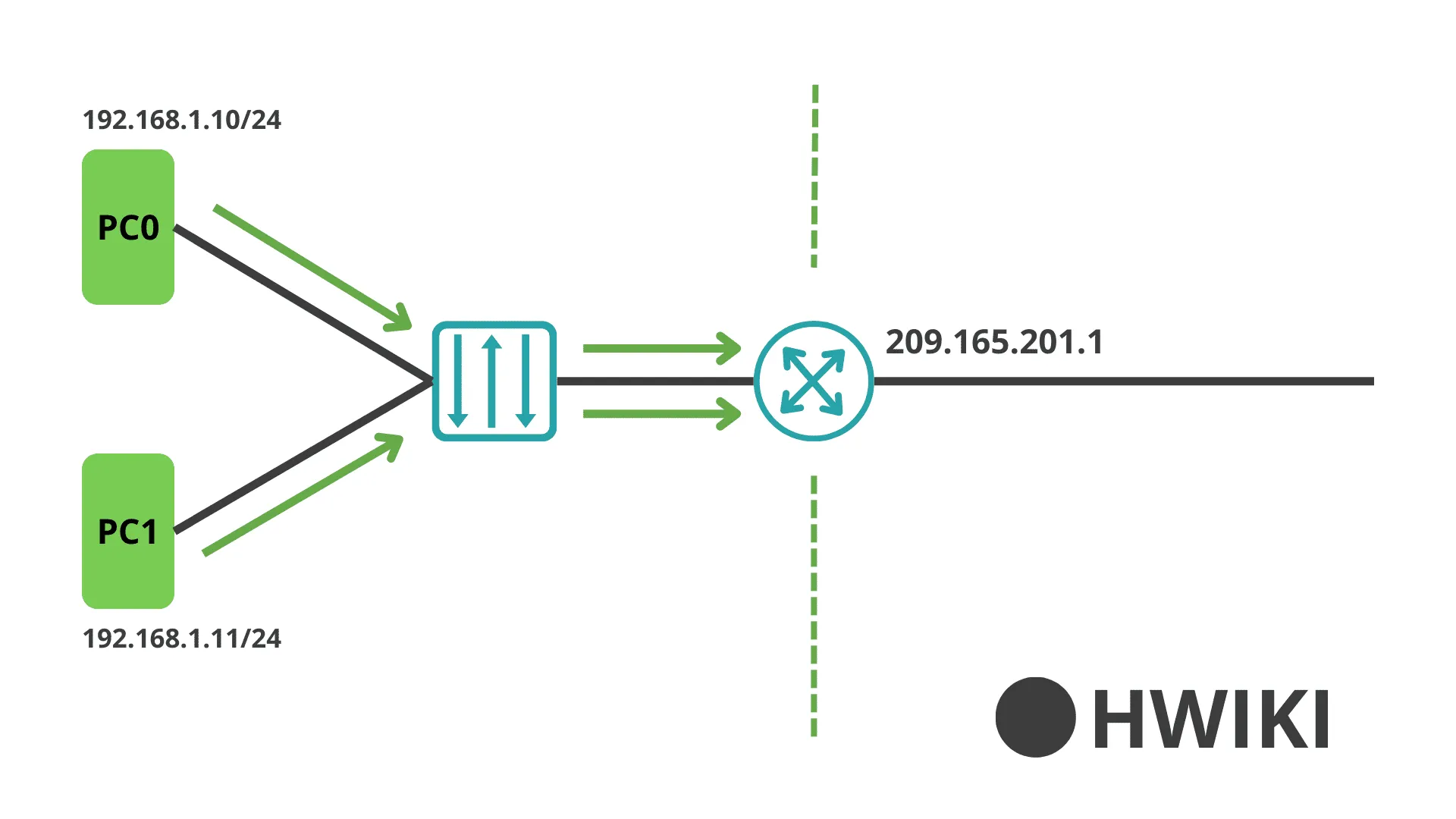
Definition:
NAT is a technique that allows a private network to communicate using a public IP address.
NAT Terminology
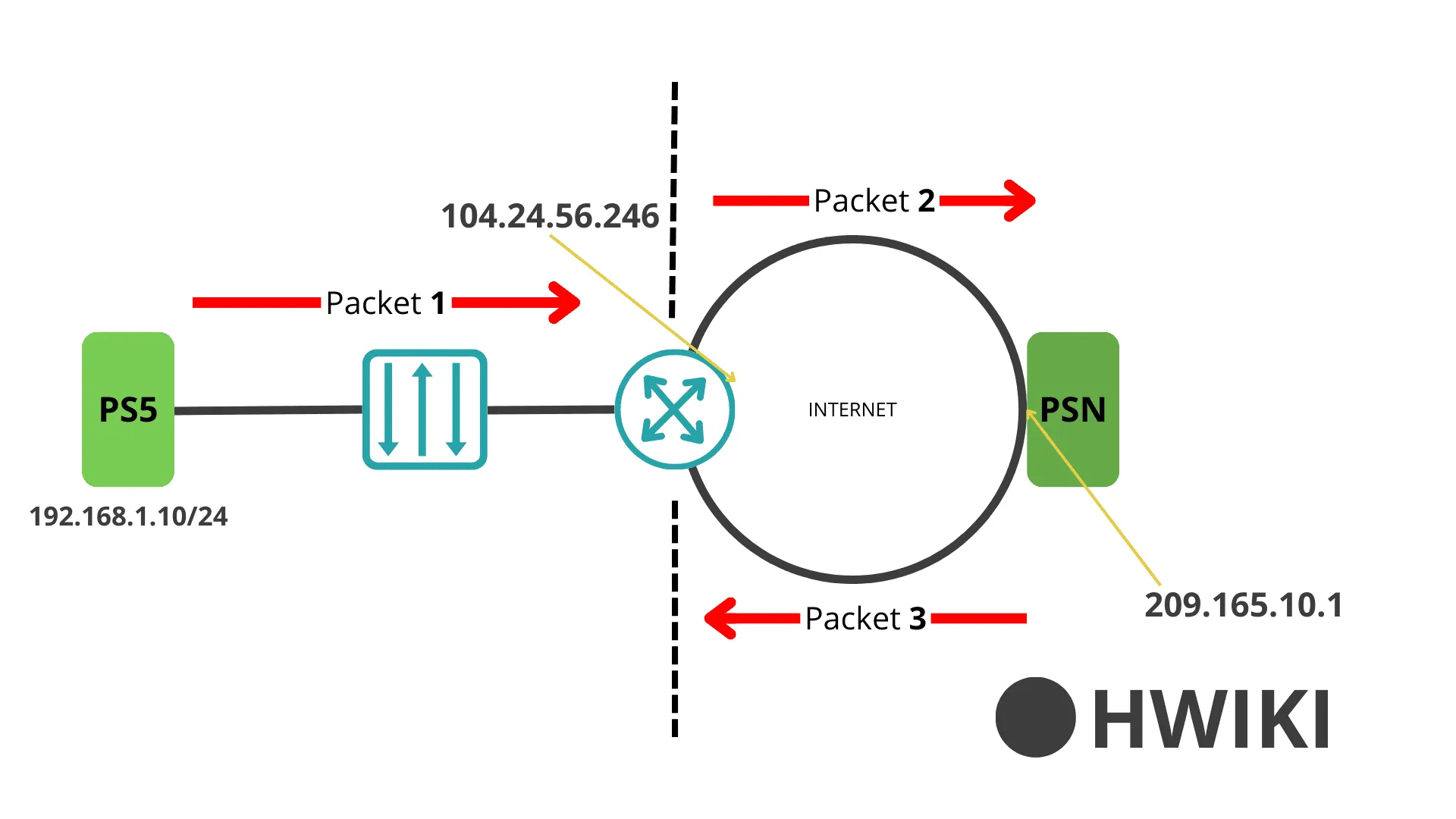
Let’s break down the flow with 3 example packets:
Packet 1 – Outgoing from LAN
| Src Addr | Dst Addr |
|---|---|
| 192.168.1.10 | 209.165.10.1 |
| Local Internal | Global External |
Packet 2 – Response from outside
| Src Addr | Dst Addr |
|---|---|
| 104.24.56.246 | 209.165.10.1 |
| Global Internal | Global External |
Packet 3 – From another LAN to NAT
| Src Addr | Dst Addr |
|---|---|
| 172.16.10.1 | 104.21.56.246 |
| Local External | Global Internal |
Key to understand:
- Addresses on your LAN side = Local
- Addresses on the WAN side = Global
- If the address is on your router, it's Internal
- If it’s on the other side (remote), it’s External
Static NAT
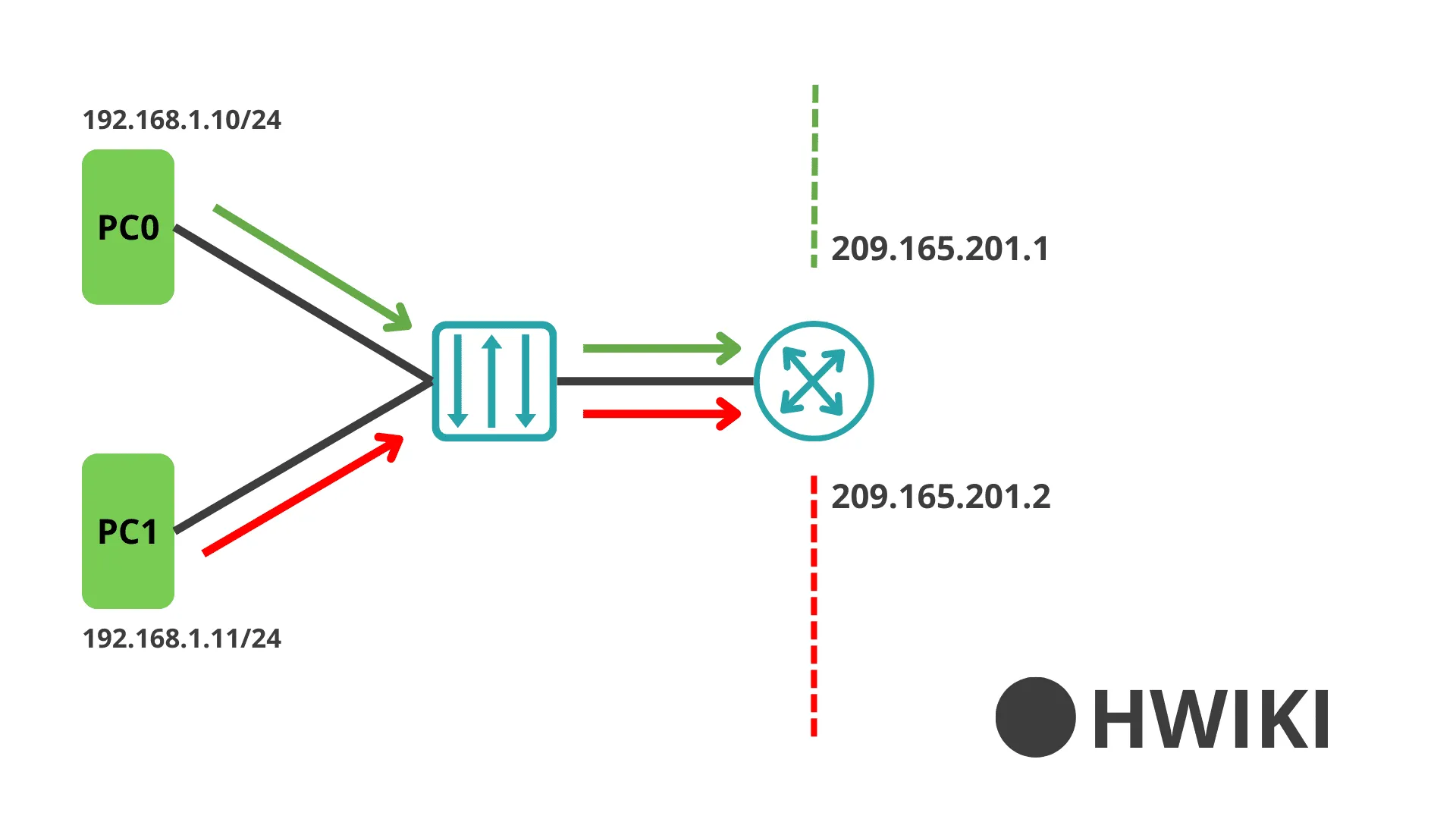
Static NAT maps each Local Internal IP address to one specific Global Internal address.
Basically, it's a 1-to-1 translation.
Example Configuration
| Local Internal IP | Global Internal IP |
|---|---|
| 192.168.10.10 | 209.165.201.1 |
| 192.168.10.11 | 209.165.201.2 |
Commands:
After that, NAT needs to be applied to the correct interfaces: inside for LAN, outside for WAN.
To verify:
Dynamic NAT
Dynamic NAT lets multiple Local Internal addresses use a shared Global Internal address.
Not 1-to-1 anymore — here it's more flexible.
Example
| Local Internal Address | Global External Address |
|---|---|
| 192.168.1.0/24 | 209.165.201.1 |
Step-by-step
Step 1 – Create an ACL to match LAN traffic:
Step 2 – Define a NAT pool:
Step 3 – Bind the ACL to the NAT pool:
Assign NAT to interfaces: