Virtual Local Area Network (VLAN)
A VLAN is a virtual network that logically connects several hosts.
Exemple de VLAN
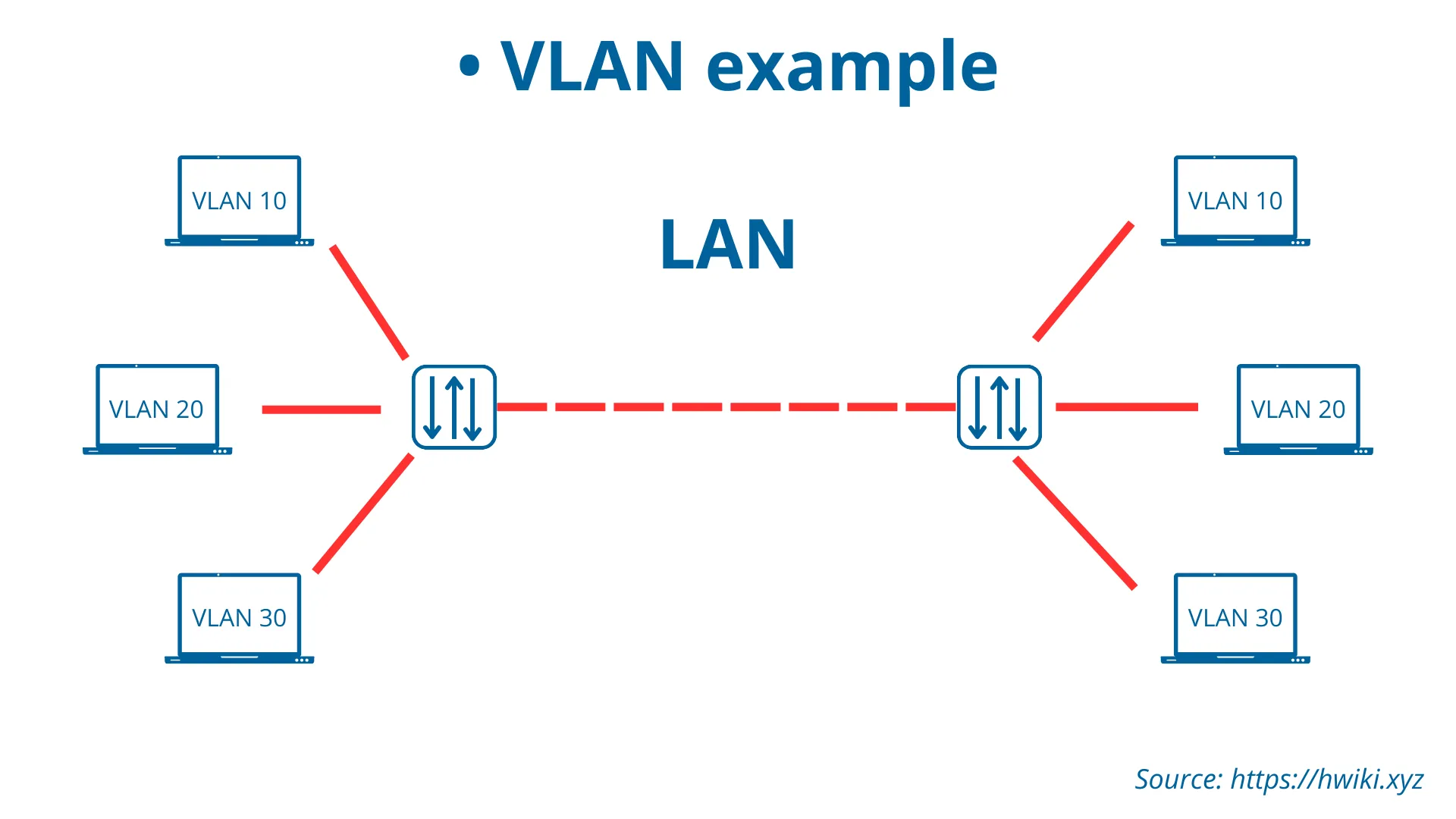
A LAN is a broadcast domain. In other words, a collection of hosts capable of exchanging data. A Virtual LAN (VLAN) allows for the segmentation of a physical LAN into multiple logical networks. In the diagram above, we see three VLANs: VLAN 10, VLAN 20, and VLAN 30. Each VLAN represents a separate broadcast domain within the same physical LAN. This segmentation enhances network performance, security, and management.
For example, VLAN 10 contains computers with similar functions, such as sales, while VLAN 20 might include devices used by the IT department. By isolating these devices within VLANs, network traffic is limited to relevant segments, reducing congestion and enhancing security.
VLANs segment the LAN into virtual subnetworks. The advantages:
- Security
- Performance
- Cost reduction
Types of VLANs
| Type | Description |
|---|---|
| Datas | VLAN created to manage traffic emitted by an end host |
| Default | VLAN where switch ports are located at startup (Cisco: VLAN1) |
| Voice | VLAN for voice transmission |
VLANs follow the ==IEEE 802.1Q== standard
Configuring VLANs on a Cisco switch
To configure a VLAN, we need its ID and name
To check that you have created the VLANs correctly, you can use :
Port-based VLAN Assignment
Assigning ports to a VLAN in a Cisco switch involves configuring the switch with specific commands. Here is how you can set it up: You need to select the interface you want to assign to a VLAN and then specify the VLAN ID. For example, to assign port FastEthernet 0/1 to VLAN 10: In global configuration :