Definition: VTP is a Cisco protocol that automatically shares VLAN configurations across switches. Basically, it saves you from manually configuring VLANs on every switch. Less work, fewer mistakes. Win-win.
It works with a Client/Server model, and there’s also a Transparent mode for the lone wolves.
VTP Domains
A VTP domain is just a group of switches that share the same VLAN config. They talk to each other using VTP to stay in sync.
Example:
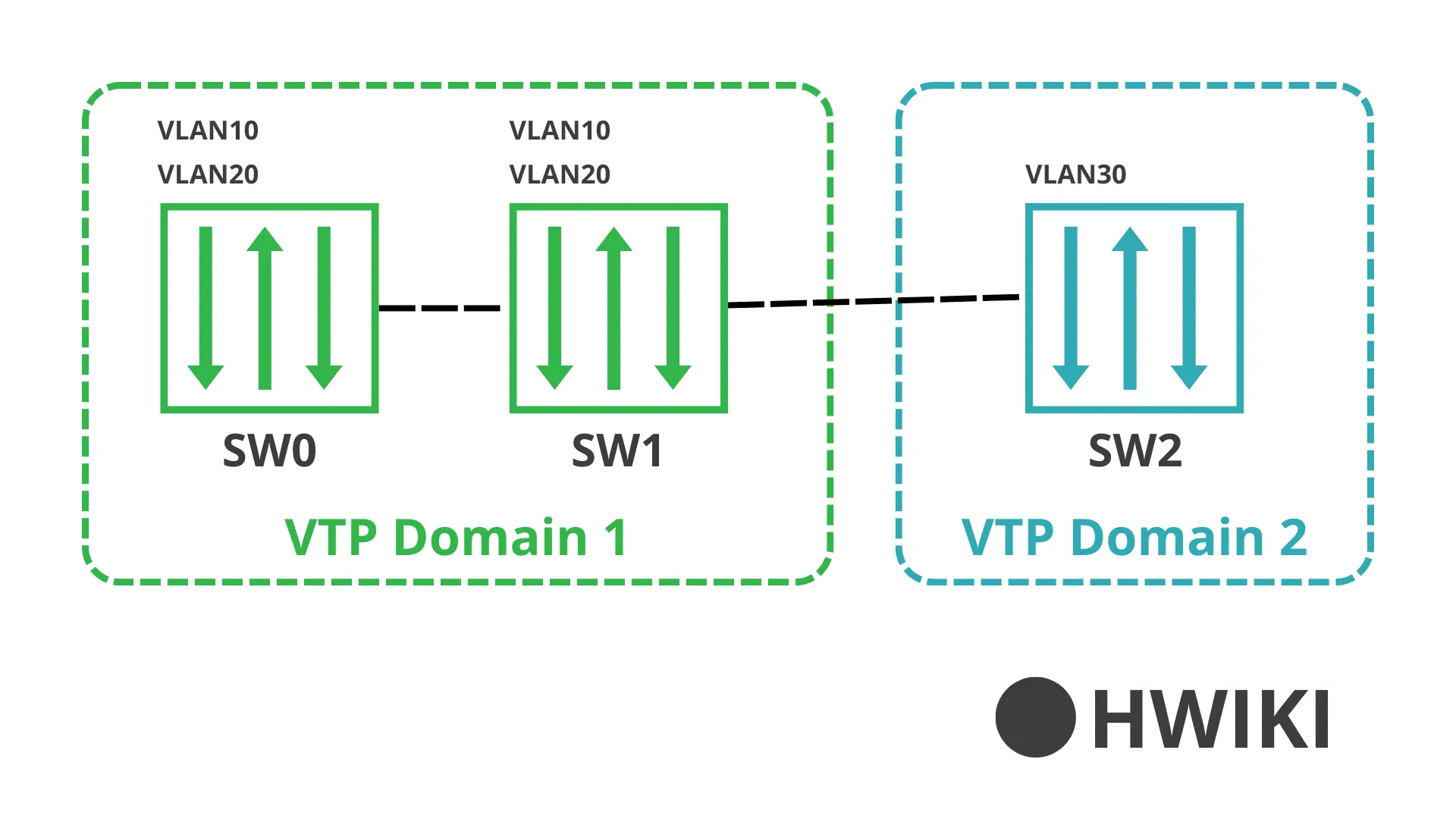
In this example, SW0 and SW1 are in VTP domain 1, and SW2 is in a separate domain (VTP2), so it doesn’t share VLAN info.
VTP Modes
There are 3 VTP modes:
- Server (e.g. SW0): The boss. Creates, modifies, and deletes VLANs, and pushes the config to others.
- Client (e.g. SW1): Just listens. Gets the config from the server and applies it.
- Transparent (e.g. SW2): Doesn’t care. Keeps its own VLAN config and ignores VTP messages. But it can still forward them.
Summary
| VTP Client | VTP Server | VTP Transparent | |
|---|---|---|---|
| VLAN creation | NO | YES | YES (local) |
| VLAN deletion | NO | YES | YES (local) |
| VLAN modification | NO | YES | YES (local) |
| Sends VTP messages | YES | YES | NO |
| Processes VTP messages | YES | YES | NO |
| Syncs with neighbors | YES | YES | NO |
VTP Configuration
Creating the VTP domain
Checking the VTP status
Tips
⚠️ IMPORTANT: For VTP to actually work, make sure inter-switch ports are set to trunk mode. Otherwise, they won’t talk.